Leadveyor for Pipedrive
Sort your Pipedrive Leads Inbox by who will buy.
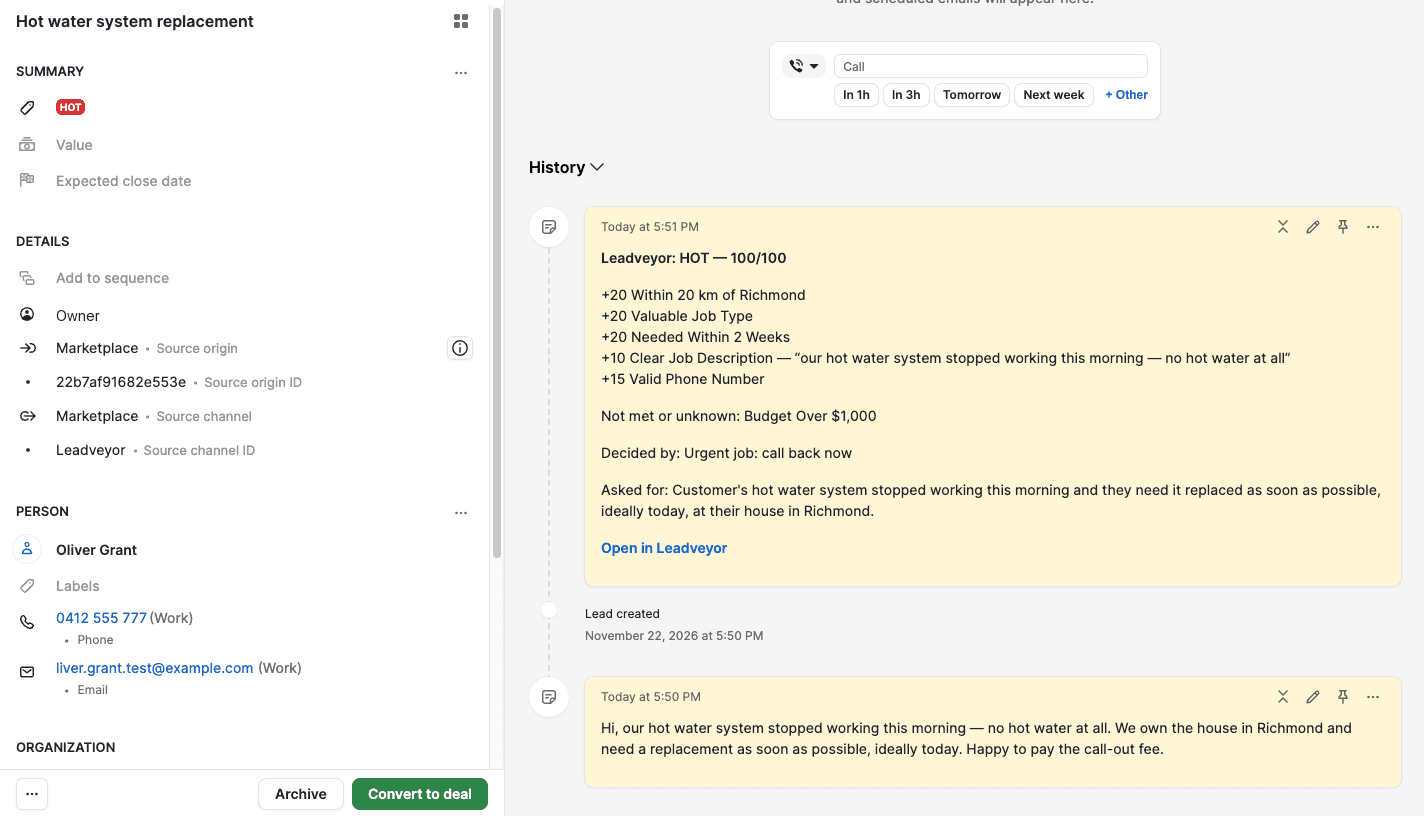
New leads from web forms, the chatbot, Live chat or other apps are read and scored against your criteria. Each one gets a Hot, Warm or Cold label and a note on its timeline, quoting the customer.
Hot, Warm or Cold on every lead
Pipedrive’s own lead labels, so you can sort and filter the Leads Inbox and call the hot ones first.
The reasons, in a note
Each criterion that was met with the customer’s words, what is missing, and a link to the lead in Leadveyor.
Your labels stay
Leadveyor only replaces its own tier label. Labels your team adds are never touched.
Junk set aside
Spam and sales pitches get a Junk label instead of a score, so nobody wastes a call on them.
Won and lost deals come back
Convert a lead to a deal and mark it Won or Lost: the outcome lands in Leadveyor’s reports.
Agencies
Each client’s Pipedrive company is scored in its own workspace with its own rules.
See it
What it looks like in Pipedrive
Set up
Running in a few minutes
- 1
Install
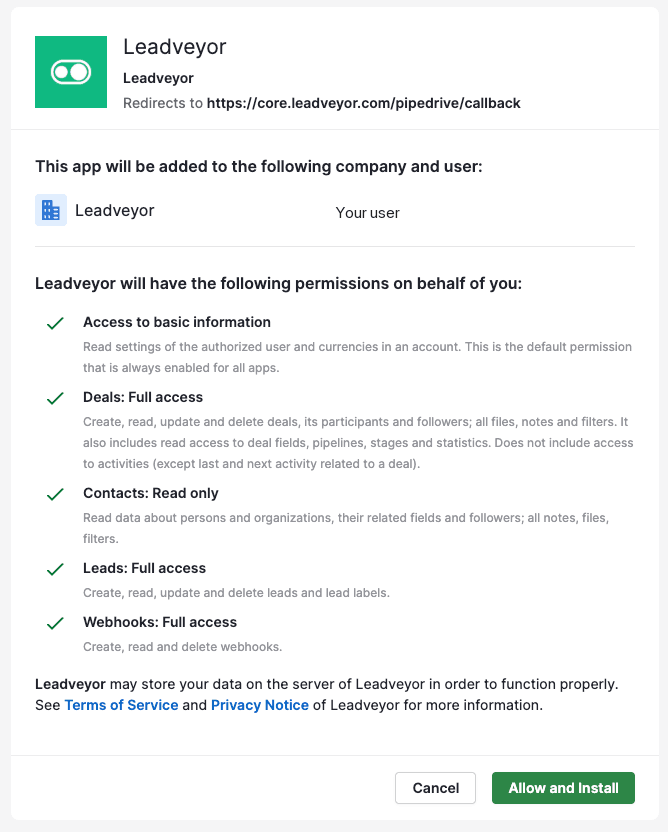
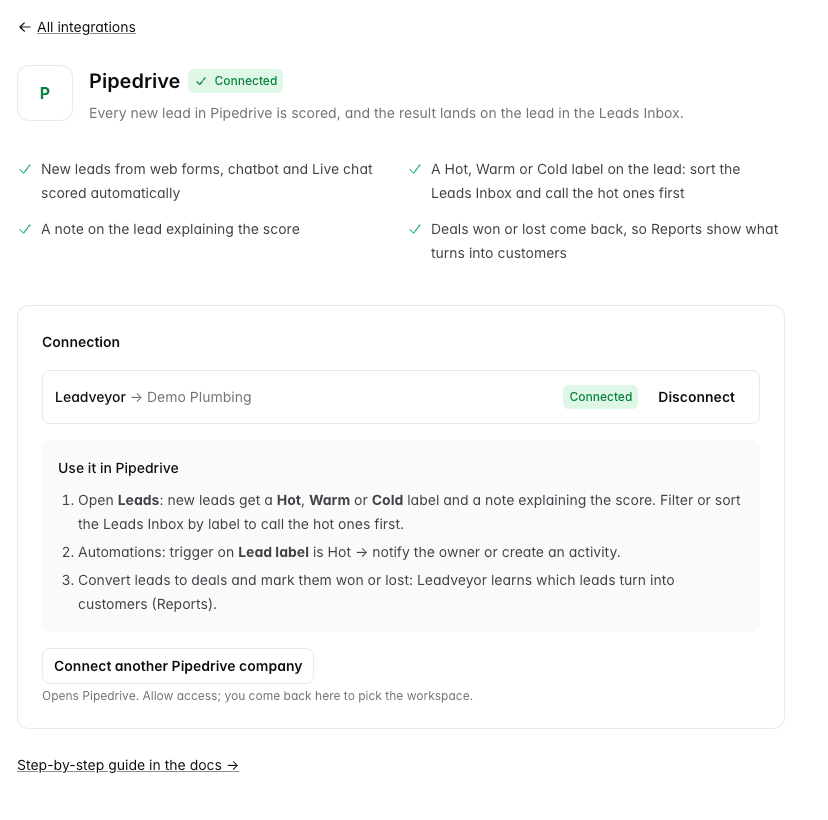
From Leadveyor: Integrations → Pipedrive → Install in Pipedrive, then Allow and Install.
- 2
Choose the workspace
Pick the Leadveyor workspace with your scoring rules, or create one, and click Connect.
- 3
New leads are scored
From then on every new lead gets a label and a note within about a minute.
- 4
Close the loop
Convert good leads to deals and mark them won or lost; Leadveyor learns what turns into customers.
Every step with screenshots: Pipedrive setup guide
FAQ
Questions
- Which leads are scored?
- Leads with the customer’s own words: web forms, chatbot, Live chat, or other apps that leave the enquiry in a note. Leads typed in by hand without a note, imports and Prospector leads are not scored.
- Why does Leadveyor ask for deal access?
- Pipedrive grants writing notes on leads through deal access, and Leadveyor reads whether a deal was won or lost. It never changes deals.
- What happens when I uninstall?
- Access stops at once: Leadveyor forgets the tokens and pauses scoring. Labels and notes already on your leads stay.
- Is it in the Pipedrive Marketplace?
- It is in Pipedrive’s review. Until it is listed, install it from Leadveyor.
Also works with
Other integrations
Stop sorting. Start calling the right people first.
Free while in beta. We’re letting businesses in a few at a time and we’ll help you set up your first rules.