Leadveyor for HubSpot
Know which HubSpot contact to call first.
Leadveyor scores every new conversation in your HubSpot inbox (live chat, email, Messenger, WhatsApp) and every form submission, then writes the score, tier and the reasons onto the contact.
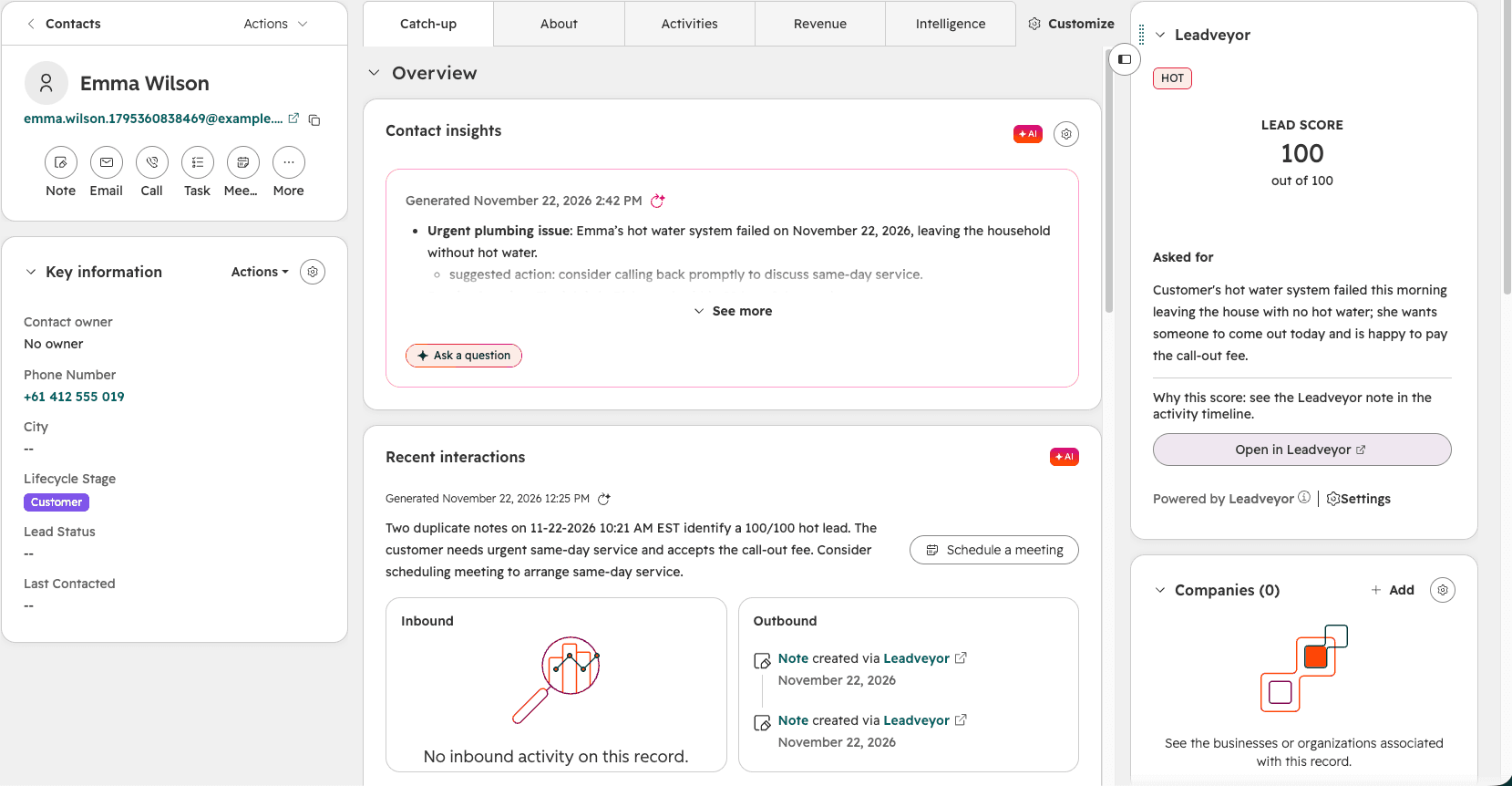
A Leadveyor card on the contact
Tier, lead score out of 100, what the customer asked for and a button to open the lead, right in the sidebar.
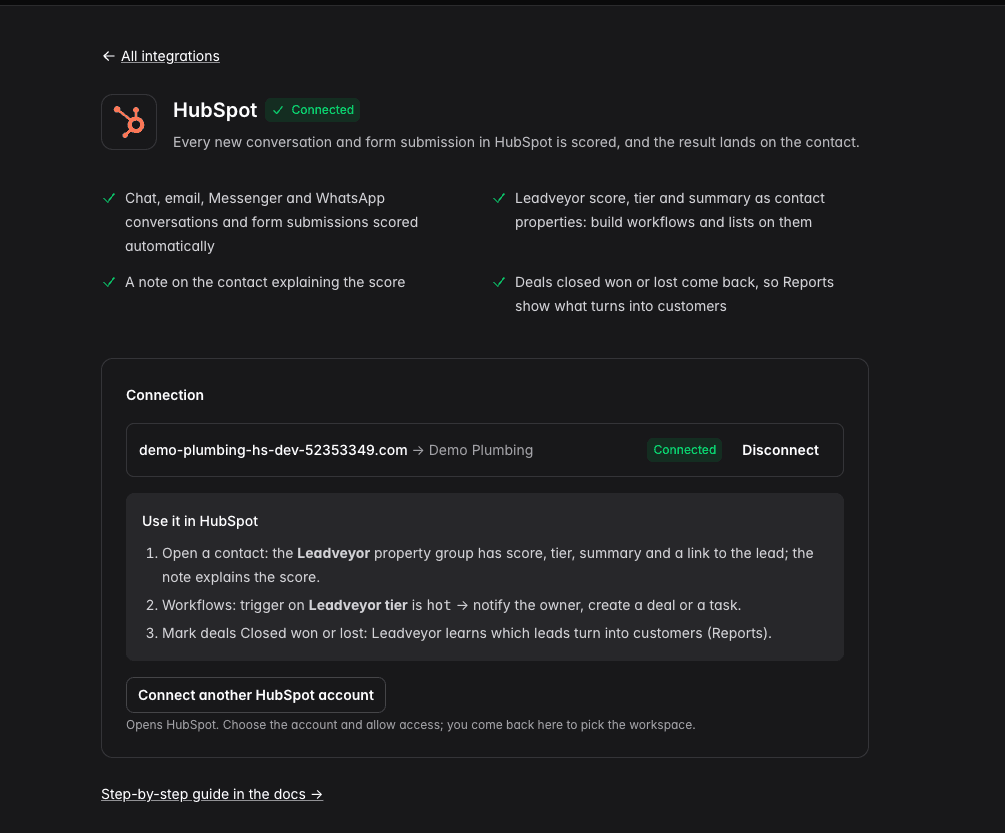
Properties for workflows and lists
Leadveyor score, tier, summary and lead link as contact properties: trigger workflows on tier is hot, filter lists by score.
A note that explains the score
Every criterion that was met, with the customer’s own words, and what is still missing.
Chats and forms
Conversations are read as a whole once they go quiet; each form submission is scored from its answers. Imported contacts are left alone.
Won deals come back
Closed won and closed lost deals become the lead’s outcome, so reports show which tiers and criteria win.
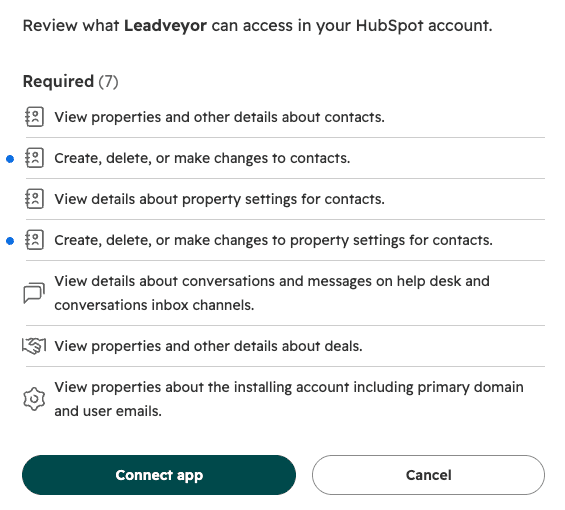
Read-only on deals
Leadveyor never changes deals, never contacts your leads and never deletes anything.
See it
What it looks like in HubSpot
Set up
Running in a few minutes
- 1
Install in HubSpot
From Leadveyor: Integrations → HubSpot → Install in HubSpot. Choose the account and allow access.
- 2
Choose the workspace
Back in Leadveyor, pick the workspace whose scoring rules this account uses. The Leadveyor properties are created right away.
- 3
Add the card
Open a contact → Customize → right sidebar + → App cards → Leadveyor. Once, for everyone.
- 4
Act on hot leads
Workflow: Leadveyor tier is hot → notify the owner, create a task or a deal.
Every step with screenshots: HubSpot setup guide
FAQ
Questions
- Which HubSpot plans does it work with?
- Any plan with the conversations inbox or HubSpot forms, including the free CRM.
- Will it score contacts I import?
- No. Only incoming conversations and real form submissions are scored; imports and manually created contacts are left alone.
- Can I use my own tiers?
- Yes. The Leadveyor tier property holds whatever tiers your scoring profile uses; hot, warm and cold are the default.
- Is it in the HubSpot App Marketplace?
- Not yet: HubSpot lists apps after they have active installs. Until then you install it from Leadveyor in two clicks.
Also works with
Other integrations
Stop sorting. Start calling the right people first.
Free while in beta. We’re letting businesses in a few at a time and we’ll help you set up your first rules.